Free
Start parking clips and notes.
- 20 visible items
- 3 Markdown notes
- Search visible items
- Pins and copied file references
- Export
- Light and dark appearance

Your Mac's private margin.
Park copied things and quick notes at the edge of your Mac, then find them where you left them.

Free. Pro is a $9.99 one-time in-app purchase. No subscription.
Privacy and termsClipboard history comparisonMarzin is not another place to organize. It is the edge of the screen, ready when a copied thing needs to stay close.
Text, links, images, colors, code, copied Finder file references, and quick notes land in one recency-ordered rail.
Pin the clips and notes you reuse often. Everything else can stay recent, searchable, and out of the way.
Search visible items for free. Pro adds type, color, and app filters when the rail becomes part of daily work.
Summon the rail with Option Space, copy what you need, then keep working in the app you were already using.
Real Marzin screens. Mixed clips, working notes, and an explicit privacy check before paste.
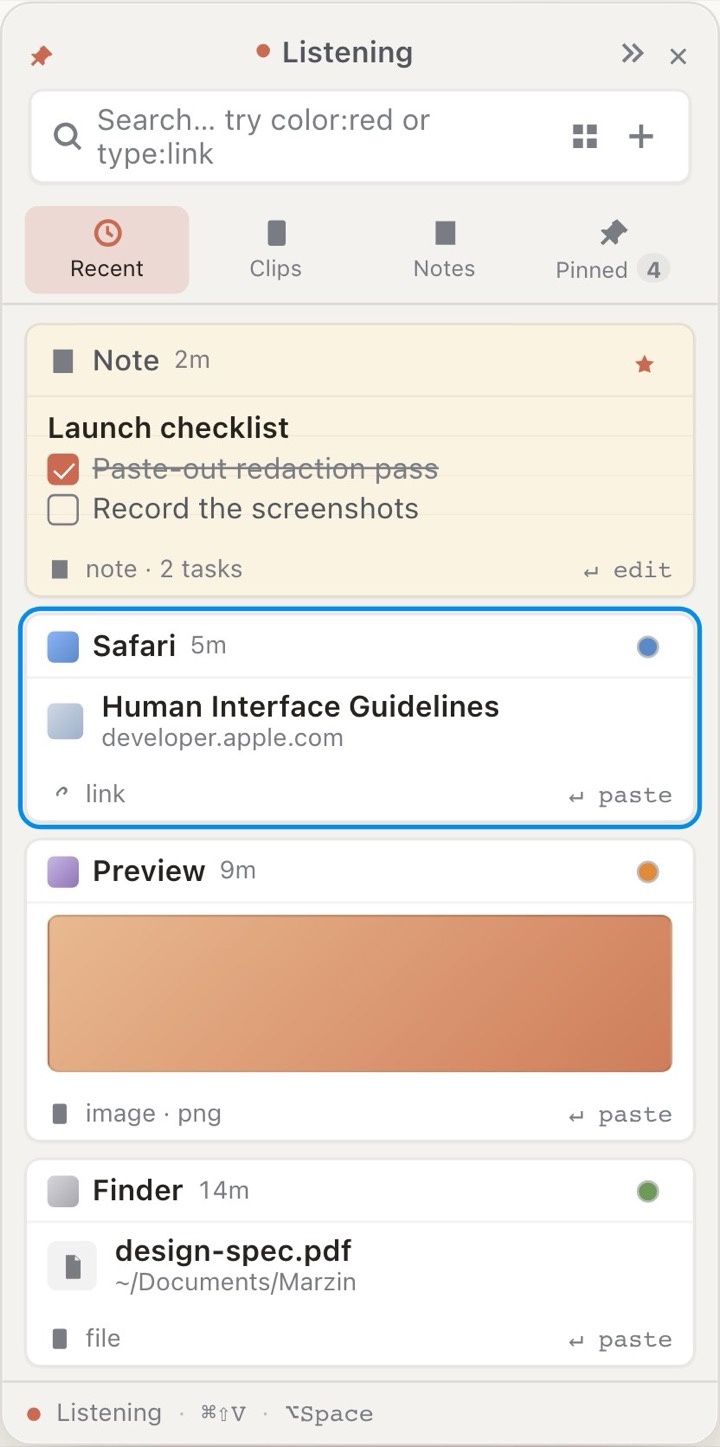
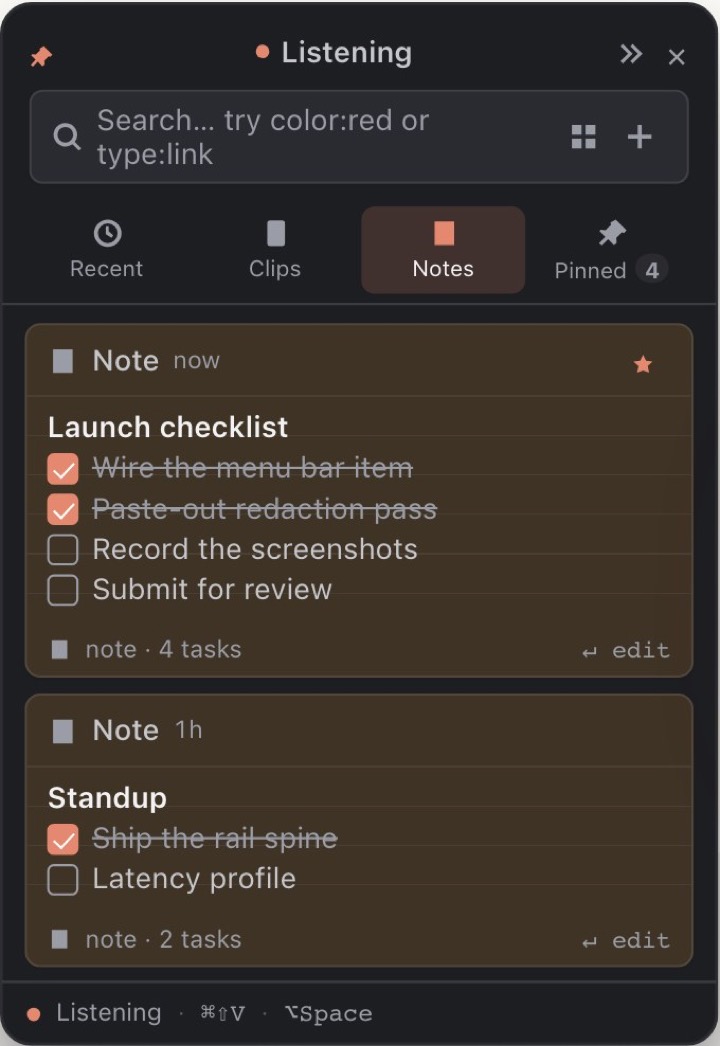
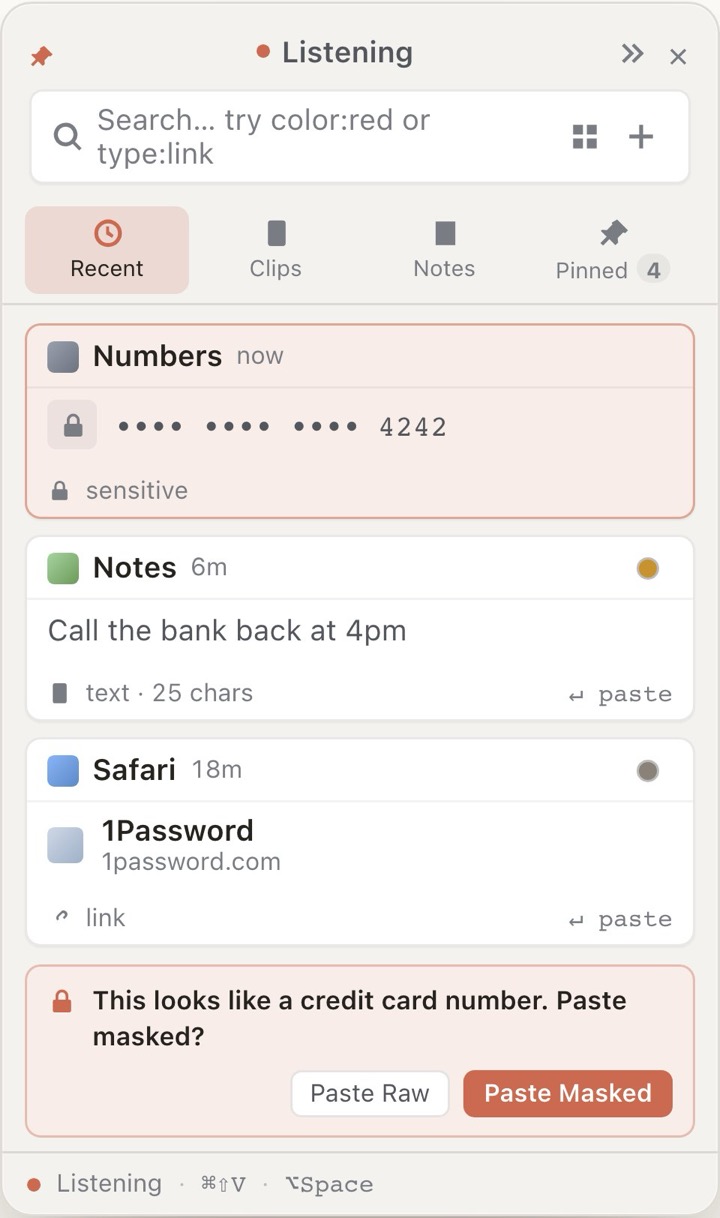
It keeps different kinds of small material together without turning them into a folder system.
Start with the everyday rail. Upgrade once when Marzin becomes part of how you work.
Start parking clips and notes.
$9.99 one-time unlock.
Local is the default. Core features ask for no permissions, item bodies are encrypted at rest, and concealed or transient clipboard items are skipped before storage. Pro can sync eligible clips, images, and notes through your private iCloud database. Files, bookmarks, snippets, and privacy-excluded items stay on this Mac. No Marzin account, analytics, or tracking.
Download Marzin free from the Mac App Store.