Start with a preset
Choose a shipped eye, search the eye catalog, or use Surprise Me. Save designs as local favorites and shuffle favorites on a schedule.

Make your Mac menu bar feel alive.
Customizable eyes follow your pointer, react to supported local signals when you enable them, and quiet down whenever you choose.
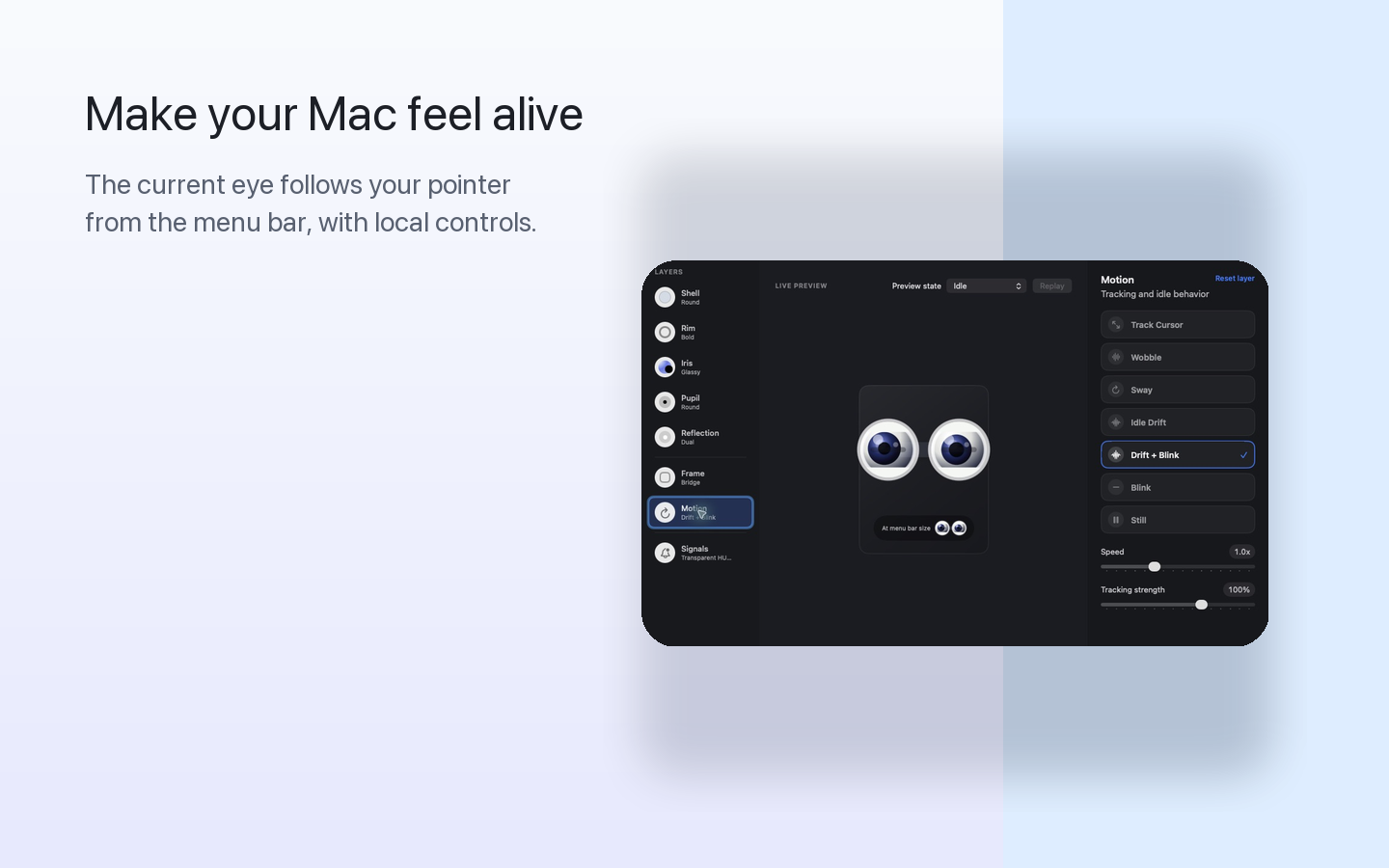
Eyelet starts with a quick preset and stays useful when you want deeper control. No account, analytics, ad tracking, or Eyelet-owned network service.
Choose a shipped eye, search the eye catalog, or use Surprise Me. Save designs as local favorites and shuffle favorites on a schedule.
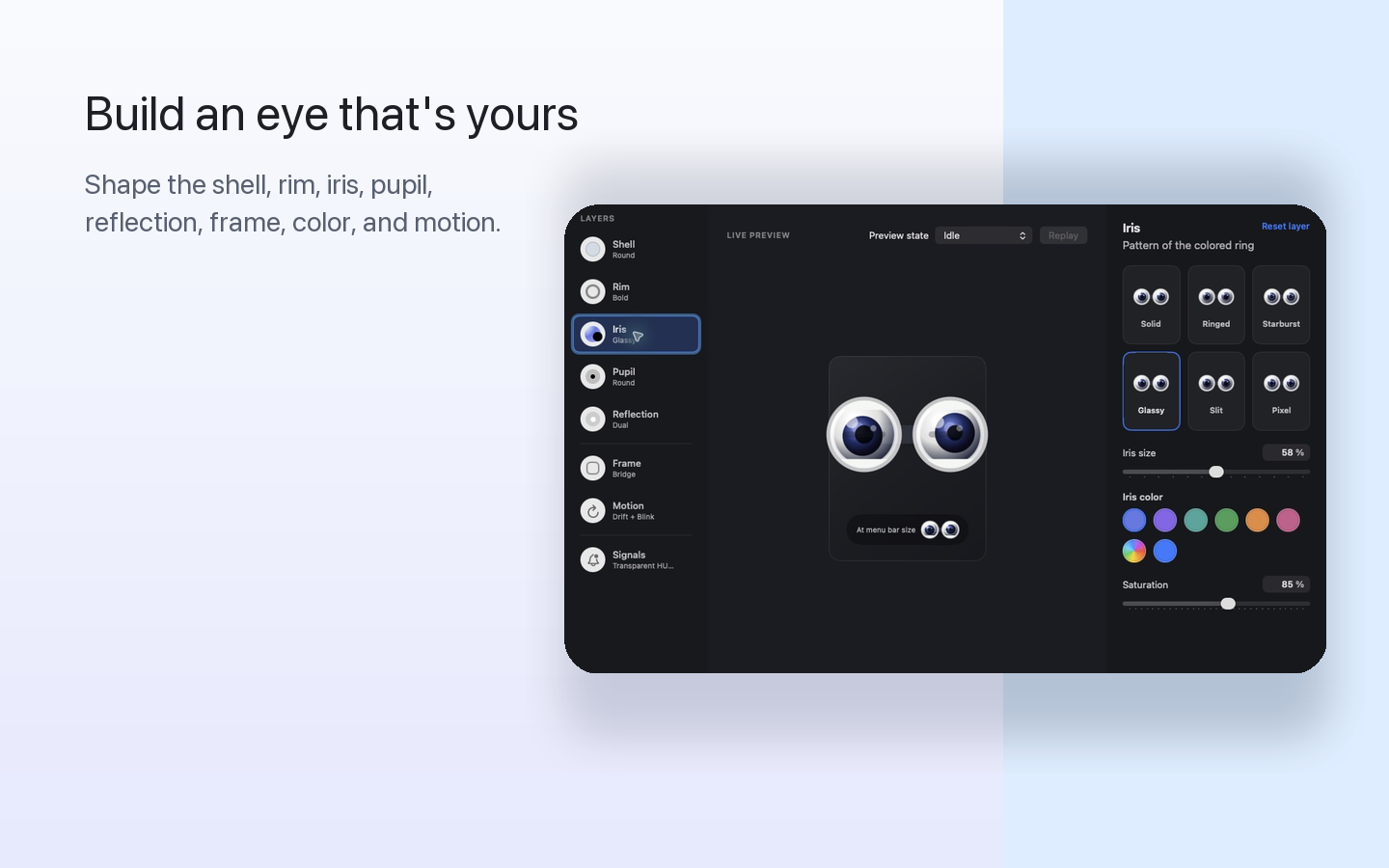
Eye Studio controls the shell, rim, iris, pupil, reflection, frame, color, and motion with a live preview, undo, and redo.
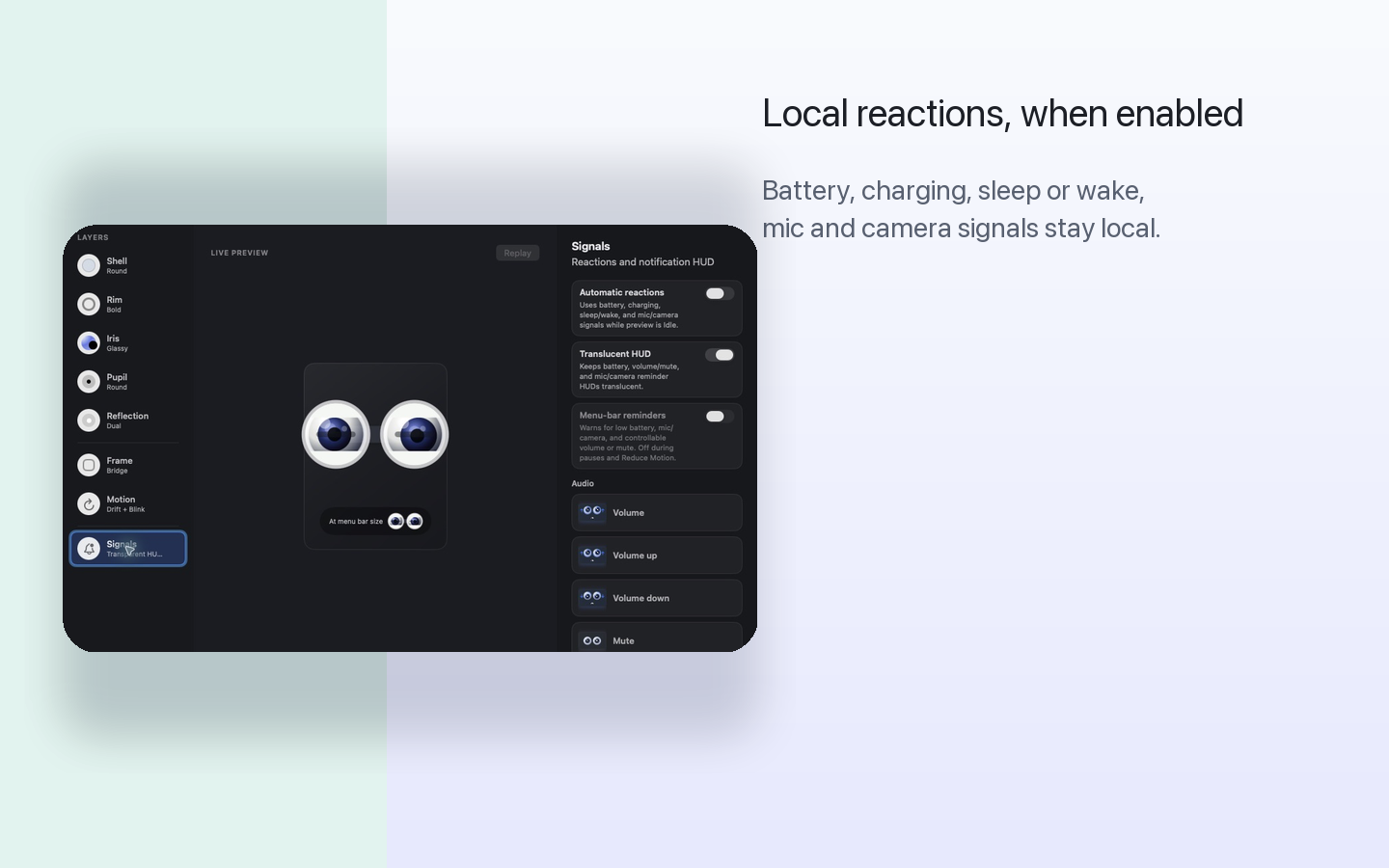
Automatic reactions are off by default. When enabled, Eyelet can respond locally to battery and charging state, plus display sleep or wake.
Optional menu bar reminders can show eligible low-battery, audio, wake, power, and dizzy-pointer HUDs. Microphone and camera states remain available as manual Eye Studio previews only.
Presentation pause, timed quiet modes, Reduce Motion support, and Low Power Mode behavior keep movement under your control.
Copy a compact Eye Code or choose Share to open the macOS sharing picker with the code and a rendered eye image. Eyelet never chooses a destination.
No. Pointer position and derived movement are used transiently on this Mac for animation and are not stored or transmitted by Eyelet.
No. Microphone and camera states remain available as manual Eye Studio previews only. Eyelet does not inspect live microphone or camera activity, request recording permission, start a capture session, or record audio or video.
No. They are off by default. Presets, Eye Studio, favorites, Eye Codes, manual previews, and quiet controls work without them.
Some HDMI and DisplayPort devices do not expose software volume or mute values to macOS. Eyelet shows no reminder when that local signal is unavailable.
Pricing and availability have not been announced. Join the notify list for one product update when Eyelet is ready.